Simple Guide on How to Send Automated Emails to Influencers
Guide
Why Do You Need an Email Outreach Tool?
- Saves you time by sending more emails efficiently
- No more missed follow-ups
- Influencers are busy, so reminders and follow-ups are essential
How Does It Work?
You write a single email and send it to over 100 influencers all at once. The magic happens when the tool automatically adds each influencer's name, making every email personal. This saves you time and ensures that your outreach feels tailored to each recipient.
Step 1You need a list of creators with first name, IG handle, and email address.
From an Excel/spreadsheet, you should have three columns titled: First Name, IG Handle, and Email. The next step is to download this information as a CSV file, which you can then import into your email tool. As an example, I'll use Mixmax, an email tool that you can utilize.

Once you've imported your influencers into the tool, it's time to create your email template.
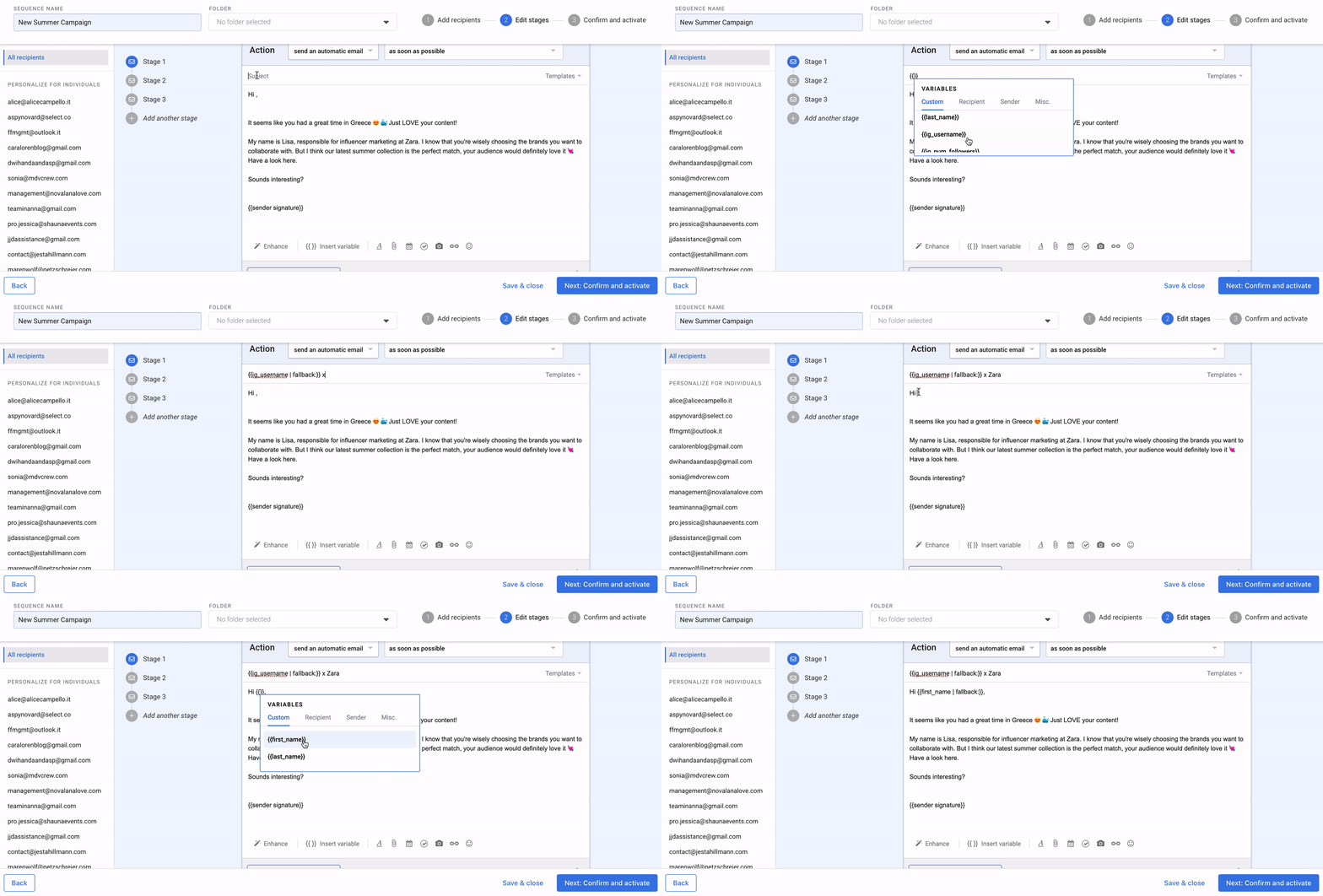
The key is to utilize variables in your template. This enables the tool to automatically personalize the emails for each influencer, incorporating details like their first name and Instagram handle.
For instance:
Your subject line could be: "Glossier x IG Handle" → this means all emails will be tailored with the influencer's IG handle.
Or:
"Hi First Name" → the tool will insert the first name, making the email read "Hi Jana," "Hi Carmen," and so on.
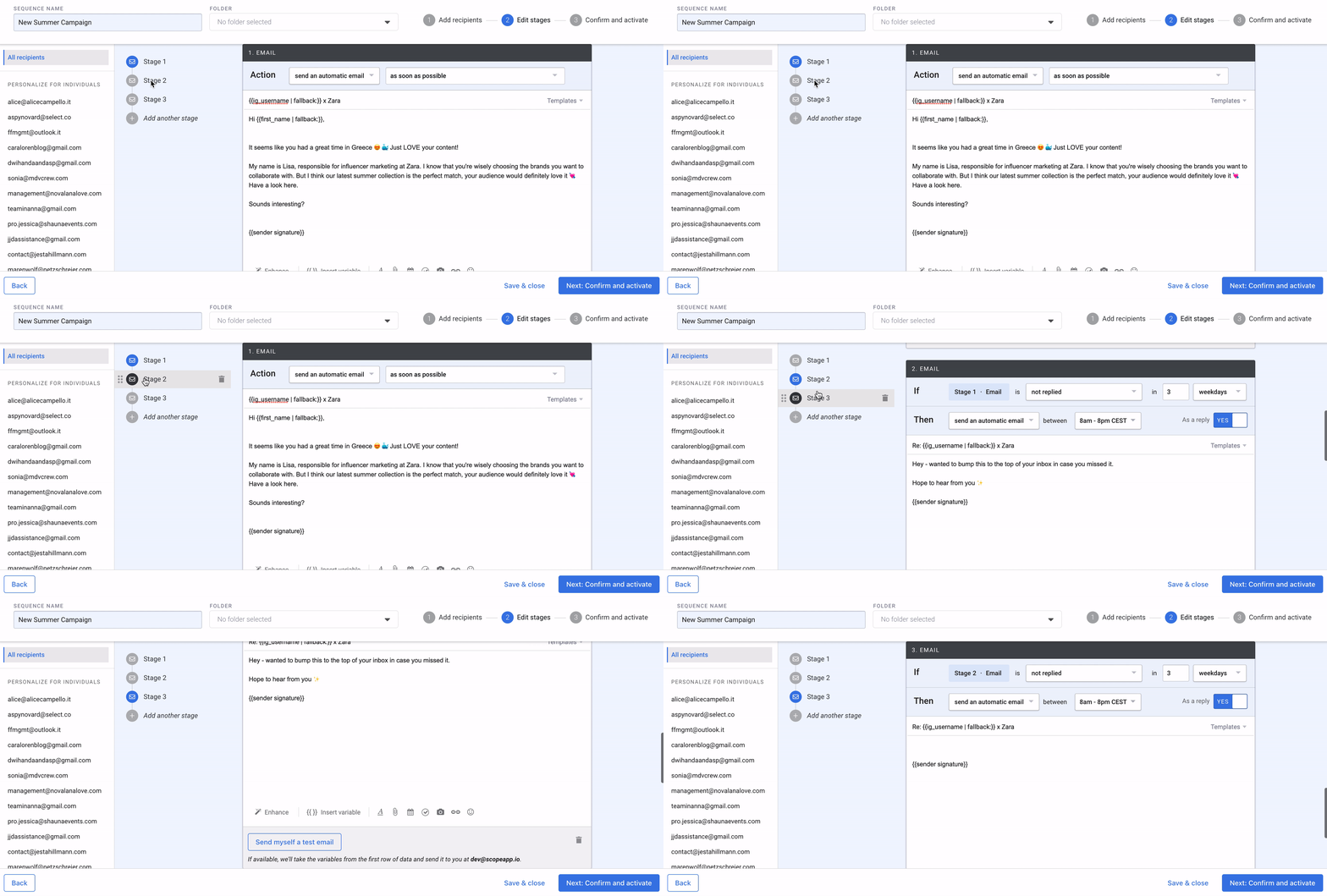
Craft follow-up emails to send if no reply from the influencer after xx days. This process is automated, allowing you to unwind and await responses in your inbox.
All emails will arrive in your inbox as usual, so your initial cold outreach is managed through the tool, the rest is handled in your Gmail/Outlook inbox.
Recommended Tools:
When using Scope, these tools are seamlessly integrated, enabling you to effortlessly send numerous influencers from Scope directly to their inbox with a single click. No need for manual data cleanup or the addition of first names to spreadsheets.
Learn more about how Mixmax works with Scope here and discover additional details about Klaviyo here.
Share with a colleague  scopeapp.io/resources/blog/automated-emails-influencers